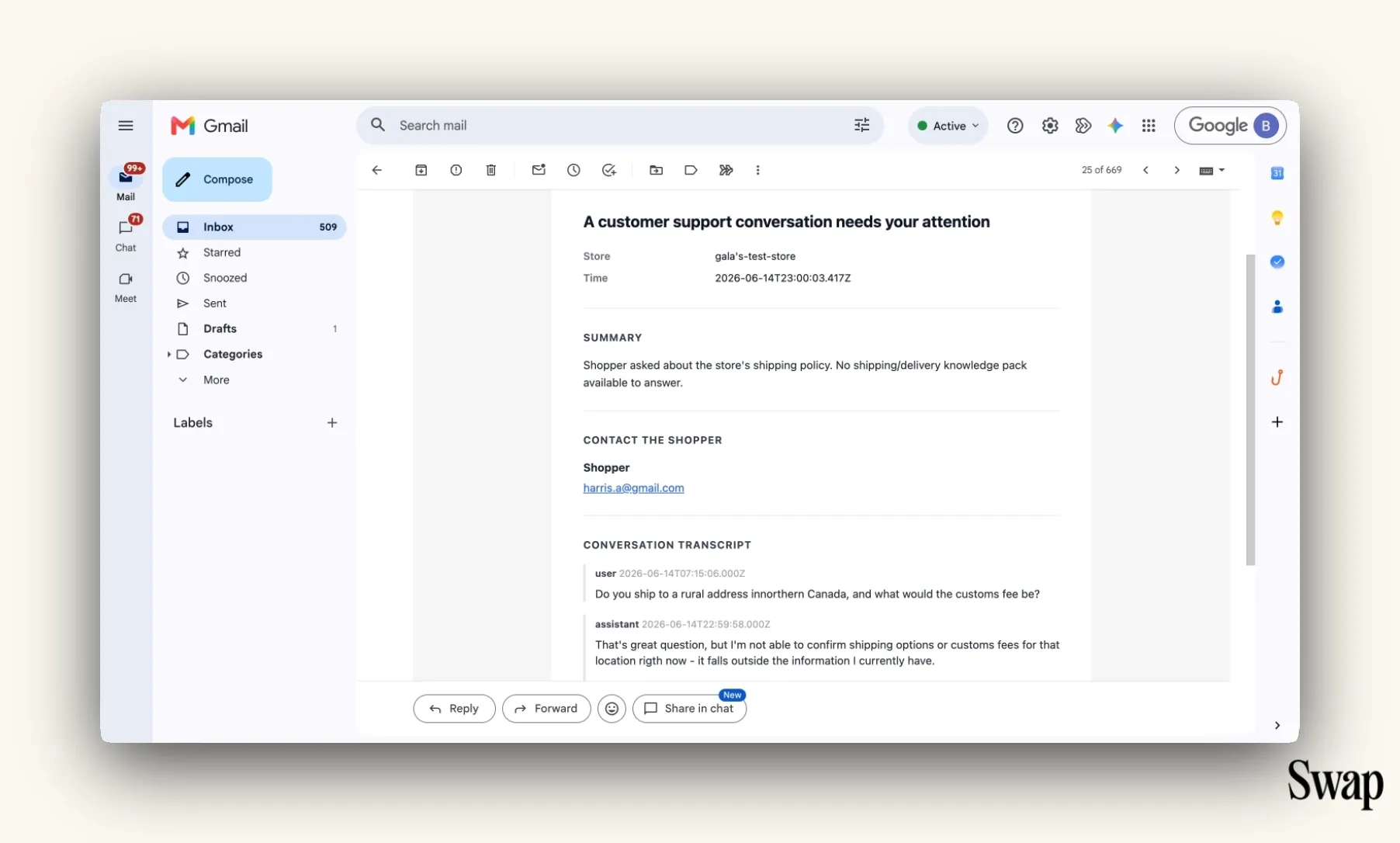
















This article explains what the Swap CS Agent is, where it's available, and what to expect as you get set up.
What is the Swap CS Agent?
The Swap CS Agent is an AI support agent built into Swap. Because Swap already runs your orders, returns and exchanges, cross-border duties and tax, shipping, and inventory, the agent resolves shopper support requests directly inside those systems — rather than just reading data and routing the shopper to a human.
If you're running an Agentic Storefront, the CS Agent extends your existing shopping agent into post-purchase support, so shoppers get one continuous conversation. If you're on a standard Shopify store, the CS Agent runs as an embeddable web widget.
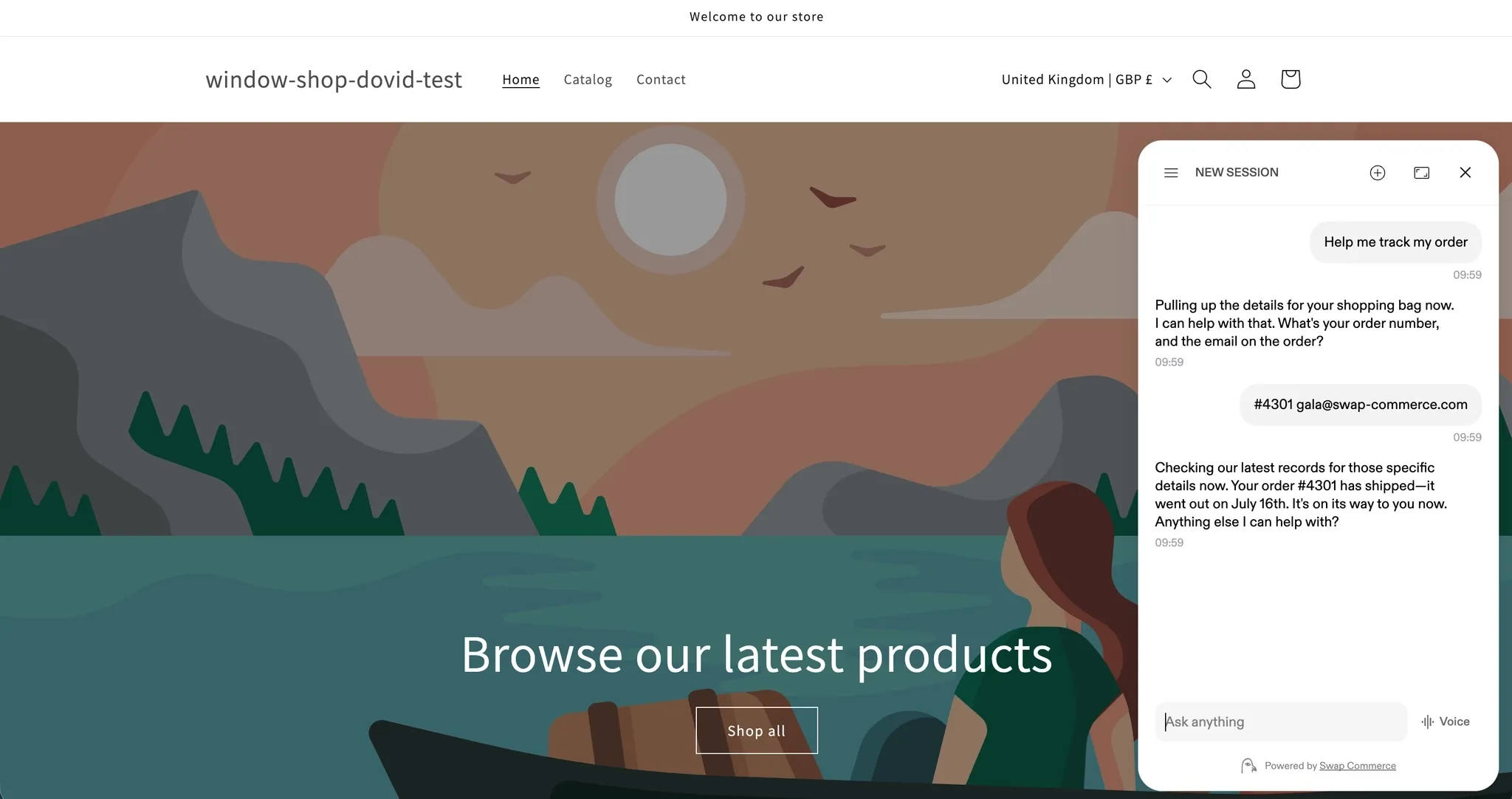
What it can help with
- General questions — answers questions on product, sizing, shipping, duties and tax, promo codes, and policies, using your Knowledge Pack (see below).
- Order tracking — shows a live tracking card in the conversation, explains delays (for example, a customs hold on unpaid duty), and can reroute, expedite, or correct an address before dispatch. See the Order tracking section below.
- Returns and exchanges — checks eligibility against your return policy, then initiates the return, leading with an exchange or store credit before falling back to a refund.
- Claims — if you're on Swap Protect the agent takes the shopper to your claim portal to file. If you're not, the request is escalated to your team.
- Escalations to your team — hands off to a human with full conversation context when a request is outside the agent's scope, low-confidence, or the shopper asks for a person directly.
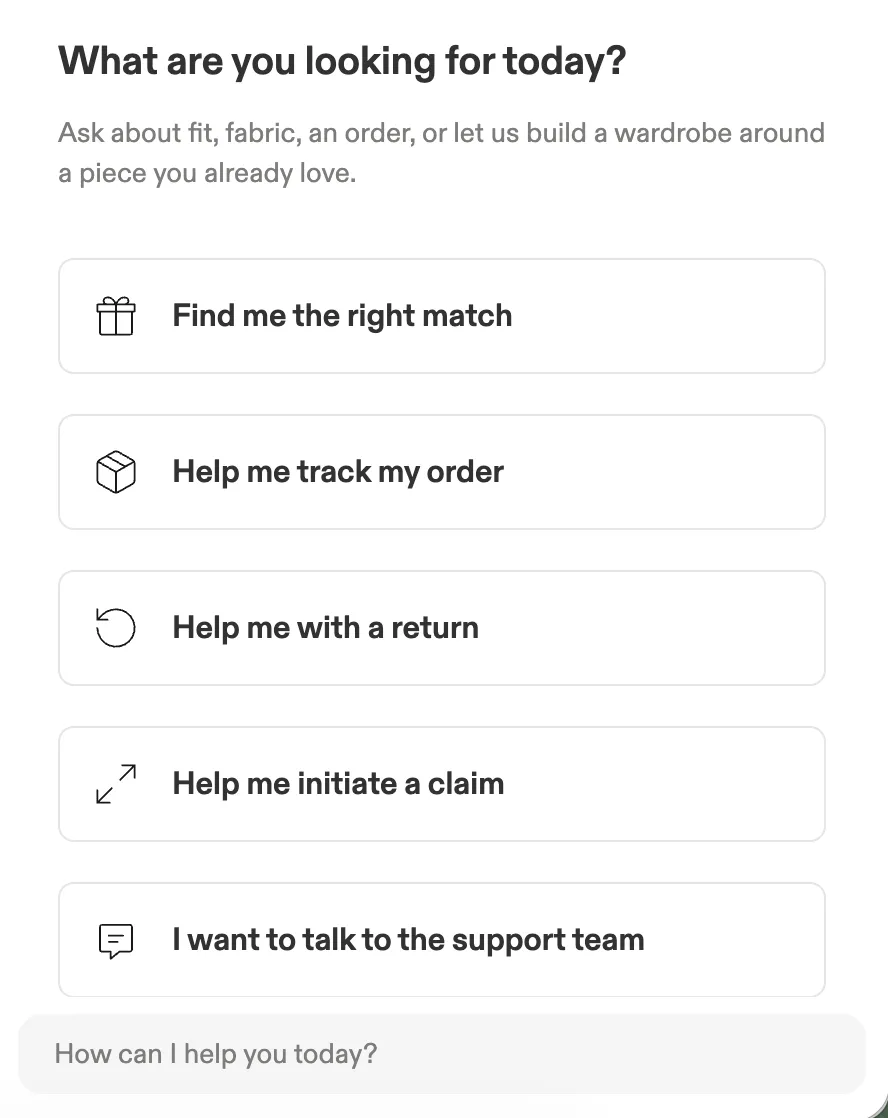
Order tracking
"Where is my order?" is the single most common thing shoppers ask. Rather than answering in prose, the agent shows a tracking card in the conversation.
The card covers one order and shows each shipment separately, so a split delivery doesn't get flattened into one confusing answer. For each shipment the shopper sees:
- How far it's got — a progress indicator running from ordered, through shipped, in transit and out for delivery, to delivered — plus a clear exception state when something has gone wrong.
- The full event history — each scan with its time and location, shown in the shopper's own local time rather than the carrier's.
- What's in the shipment — the items, with images, so they can see which part of their order they're looking at.
- Carrier and tracking number — with a link through to the carrier's own tracking page.
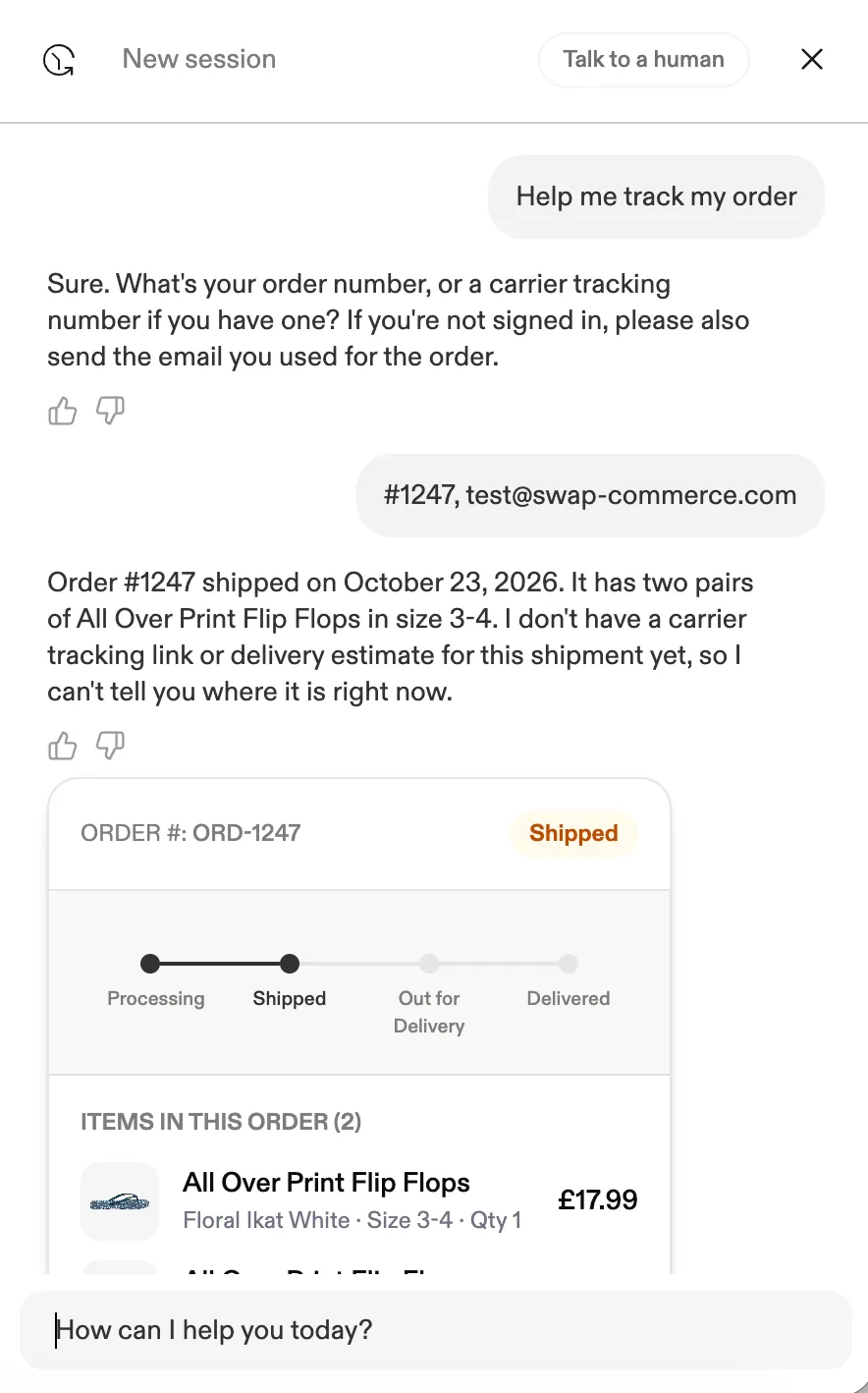
Shoppers can carry on asking questions in the same conversation — the card doesn't end it.
Where it's available
- Agentic Storefront — native, and available to merchants already running Swap's Agentic Storefront.
- Standard Shopify store — via an embeddable web widget, so any Shopify merchant can add the agent to their site.
Prerequisites
Before you get started, check that:
- You're an existing Swap customer (already set up on Swap Returns).
- Your store has a custom domain configured — this is required to set up the widget and to give you a testing URL for QA.
- You have your key policy pages ready to share — shipping, returns, FAQ, and sizing guide, if you have one. These feed your Knowledge Pack (see below).
Getting set up
- Share the source material for your knowledge packs and your custom domain with your onboarding manager.
- Agent builds knowledge packs in the background. The system creates structured knowledge packs that summarize your content and preserve important "quote-ready" policy language so that it can respond in line with your current policies.
- The CS Agent widget is installed on your Shopify store.
- You get access to the CS Agent Dashboard under your Swap Merchant Dashboard.
- Complete QA using your testing link before shoppers see the widget live.
- Go-live! Once you approve the setup with your onboarding manager, they will set the CS Agent live on your site.
Knowledge Packs
Knowledge Packs are curated, source-of-truth references built from your live site content and the policy pages you choose, so the agent's answers stay aligned with what's actually true for your store.
A knowledge pack should cover:
- Shipping and delivery policies
- Returns, exchanges, and refunds
- Terms and key store rules
- Brand story, tone, and FAQs
- Sizing guides and product education content
To get the best results:
- Keep your policy pages clear and up to date.
- Use scannable headings for things like shipping timelines, eligibility rules, fees, and exceptions.
- Put edge-case rules in writing (for example, final sale items, gifts, international shipping, hygiene seals) so the agent applies them consistently.
Using your CS Agent Dashboard
Your dashboard is where you configure, monitor, and step into the agent.
Analytics dashboard
Filter by date range (for example, last 7 or last 30 days) to review:
- Users — unique shoppers served
- Conversation volume — total conversations
- Auto-resolution rate — the percentage the agent resolved on its own
- Escalations — number of conversations handed to your team
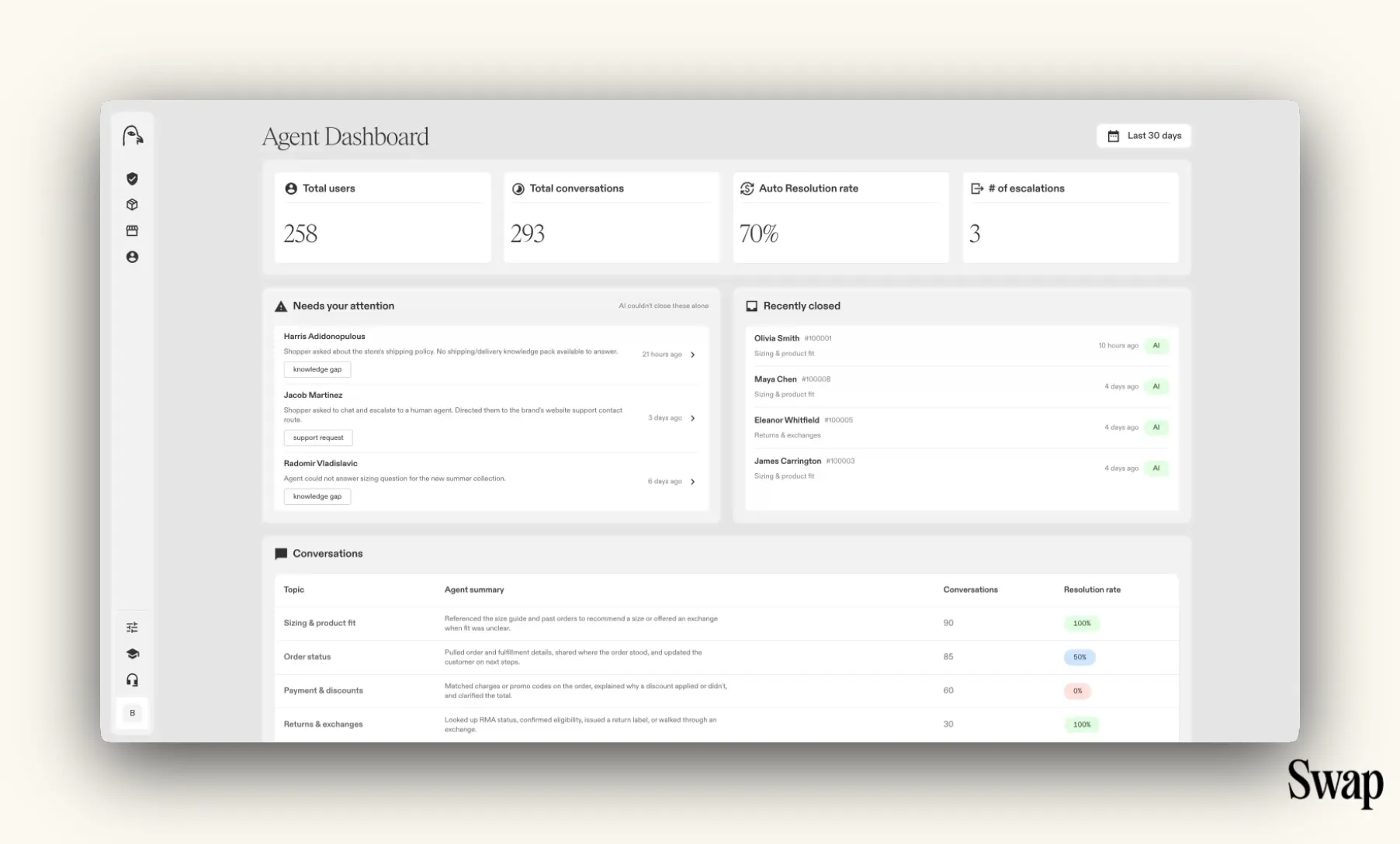
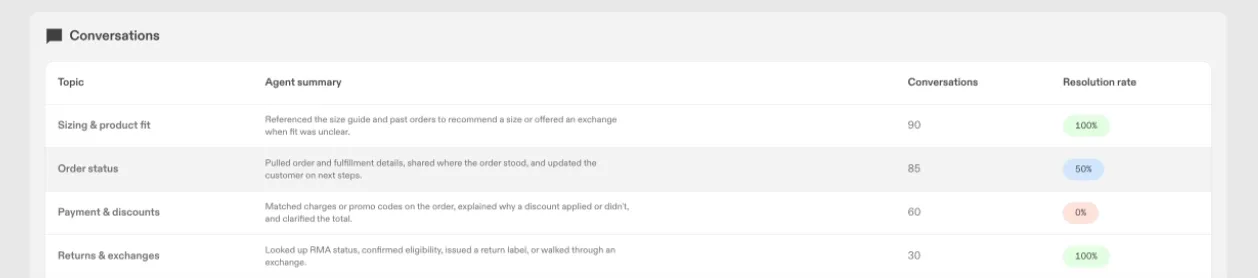
Topic breakdown
See what shoppers are asking about, grouped into categories: sizing and fit, order status, payment and discounts, returns and exchanges, shipping and delivery, product care, and stock availability. Use this to spot content or policy gaps.
Escalations
An escalation is created when a shopper asks for a person, when the agent can't confidently proceed, or when a shopper is upset or raises a sensitive subject. You'll receive an email alert with the escalation reason, an AI-generated summary and the full transcript, so you're never left monitoring the dashboard just in case.