















The product purchase price [operator] [amount] condition in Advanced Rules can block a return once an item's discount exceeds a threshold you set, comparing the price the customer paid against either the item's compare-at price or its current price. This article explains how that discount percentage is calculated, and works through some examples.
Key terms
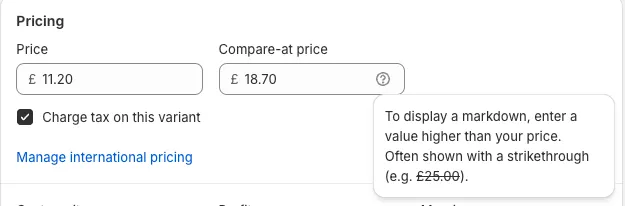
- Variant priceThe current price of the item in the store.Example: £11.20
- Variant compare-at priceThe most recent price of the variant before the discount, displayed as a strikethrough price.Example: £18.70
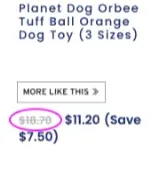
- Line item original unit priceThe price at which the customer purchased the item. This is the price used for the comparison.Example: £21.00
How the discount is calculated
The discount percentage is calculated as follows:
Formula:
Discount percentage = [(Line item original unit price - Price used for comparison) / Line item original unit price] × 100
Example 1 (using variant compare-at price):
Variant compare-at price: £150
Line item original unit price: £250
Discount = [(250 - 150) ÷ 250] × 100 = 40%
Example 2 (using variant price):
Variant price: £100
Line item original unit price: £150
Discount = [(150 - 100) ÷ 150] × 100 = 33.3%
If the threshold is set to 30%, this item would not be eligible for return.
Setting up the condition
- Add the condition product purchase price [operator] [amount].
- Set a threshold percentage, as a whole number or decimal.
- Choose what the line item original unit price is compared against:
- Compare-at price: the variant's most recent price before the discount.
- Variant price: the current price.
- Original price: a third option now available in the dropdown. Not yet confirmed — check before relying on it.
This condition is product-specific, so it can only be paired with product-specific actions. When the discount exceeds the threshold, pair it with the action mark this product as not eligible for return to block the return. Otherwise, the product remains eligible for return.
Example configuration
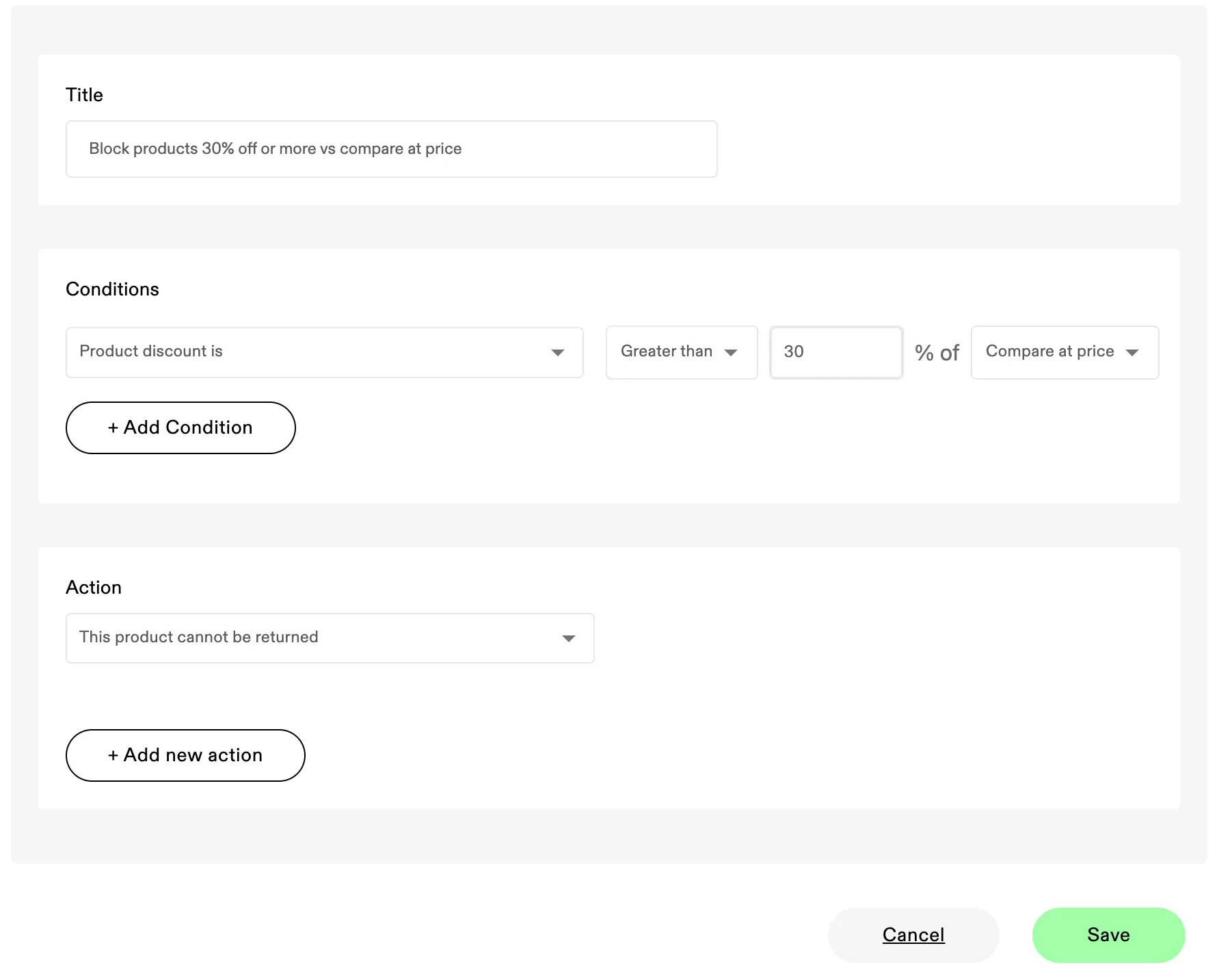
The screenshot above shows:
- Condition: product purchase price greater than 30% of compare-at price.
- Action: mark this product as not eligible for return.
Worked examples
- Blocked return:
- Variant compare-at price = £200
- Line item original unit price = £300
- Discount = 33.3% (threshold = 30%) → not eligible for return.
- Allowed return:
- Variant compare-at price = £200
- Line item original unit price = £220
- Discount = 9.1% → eligible for return.