















When a customer returns an item — whether the order was domestic or international — taxes and duties can be refunded in addition to the product price. This article explains the available refund options and how to configure them.
Overview
When using Swap Global, you can manage your international shipping taxes and duties. With Global Returns, taxes and duties can also be refunded when included in the Global order.
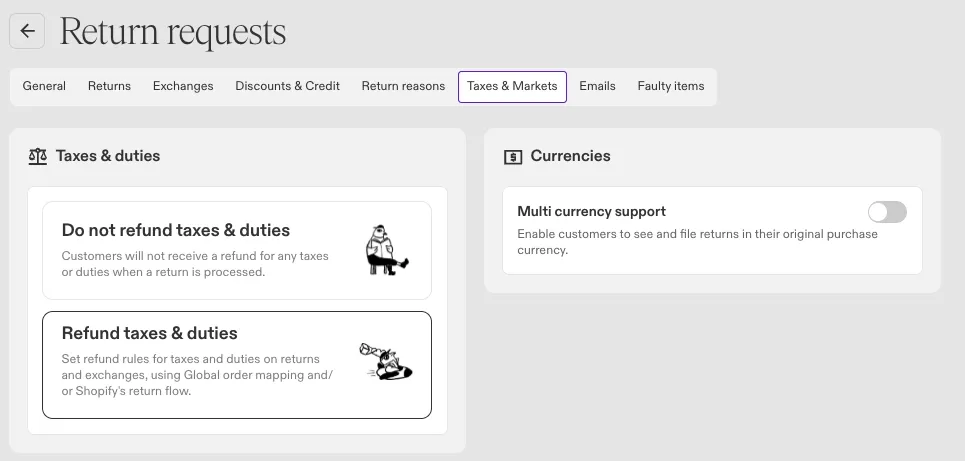
All of these settings live on the Taxes & Markets tab. The Taxes & duties panel at the top decides whether taxes and duties are refunded at all, with two options:
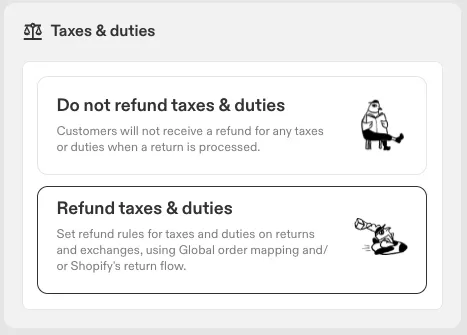
- Do not refund/charge taxes & duties — customers receive no refund for taxes or duties when a return is processed.
- Refund/charge taxes & duties — sets refund rules for taxes and duties on returns and exchanges, using Global order mapping, Shopify's return flow, or both.
This is a single choice covering both order types. Once Refund/charge taxes & duties is selected, two separate rule tables appear below it, and you configure whichever apply to you:
- Global taxes & duties — for orders shipped through Swap Global.
- Shopify taxes & duties — for orders processed through Shopify's native return flow.
The tables are independent. You can add rules to one and leave the other empty, and set different refund types per destination in each.
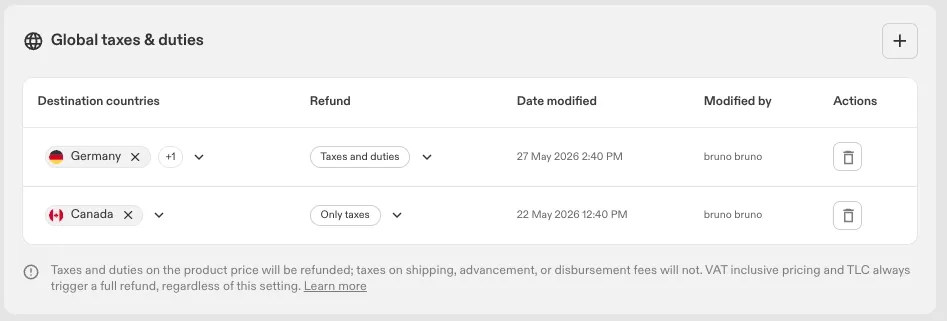
In both tables, each rule refunds either:
- Taxes and duties — taxes and duties are both refunded.
- Only taxes — only taxes are refunded; duties are not.
This article covers the Global side. For the Shopify side, including how taxes and duties are charged on exchange orders, see Refunding and Exchanging Shopify Taxes and Duties (Returns V2).
Please note:
- Taxes and duties on the product price are refunded; taxes on shipping, advancement, or disbursement fees are not.
- VAT-inclusive pricing and Total Landed Cost (TLC) always trigger a full refund, regardless of this setting.
The Global taxes & duties table
Each rule lists the Destination countries it applies to and the Refund type. The table also records the Date modified and Modified by for each rule, so you can see who last changed it.
Exchange options
Two toggles sit beneath the Global table and control which exchange types are available on Global returns:
- Allow variant exchanges — customers can exchange an item for a different variant of the same product.
- Allow exchanges for other items — customers can exchange for a different product entirely.
Click Save.
Multi-currency support
The Currencies panel on the same tab holds the Multi currency support toggle, which lets customers see and file returns in their original purchase currency. For details, see Multi-currency support (Returns V2).
How it works
- The customer requests to return an item (partial or full order).
- Swap calculates the refund amount based on the store's settings.
- The customer selects a returns method:
- Refund — the customer is refunded the calculated amount according to the configured Global refund setting.
- Store credit — the customer receives store credit as defined in the store credit settings, including refundable Global taxes where applicable.
- Exchange — the exchange flow varies based on dashboard settings and exchange type. For more information, see Global Exchanges (Returns V2).
- The return is marked in Global's system and the invoice is updated accordingly.
Non-inclusive taxes: refund and bonus credit
When Refund/charge taxes & duties is selected, non-inclusive taxes and duties are refunded via the returns portal:
- The displayed item price includes only the original price plus inclusive taxes and duties.
- A note in the returns portal informs customers that refunds for additional taxes and duties (non-inclusive) will be calculated and shown on the summary page.
- If a bonus credit is offered, it is calculated based only on the displayed item price (excluding non-inclusive taxes and duties). On the summary page, any non-inclusive taxes and duties added to the credit are credited separately without additional bonus, using the same credit method selected.
- If a refund is due, any refundable non-inclusive taxes and duties will be clearly calculated and included on the summary page.
Non-inclusive taxes: presentation in the RMA
For RMAs involving non-inclusive taxes and duties, a tax breakdown table is shown when the RMA is approved.
For each item, you can open a dropdown that provides the following details:
- Item name
- Item price & quantity
- Inclusive taxes & duties
- Non-inclusive taxes & duties
Limitations
- Taxes and duties included within the item price are always refunded to the customer, regardless of this setting.
- Fees are not refundable, and taxes on shipping, advancement or disbursement fees are not refunded.
- Discounted shipping fees cannot be processed because Global taxes are embedded within the shipping costs. Apply discounts directly to the order rather than the shipping fees when using Global taxes refund.