















This article explains how to adjust the credit bonus on an RMA with a Gift Card or Store Credit result.
How to adjust the bonus
The bonus can be adjusted to any value — including reducing it to £0 or increasing it.
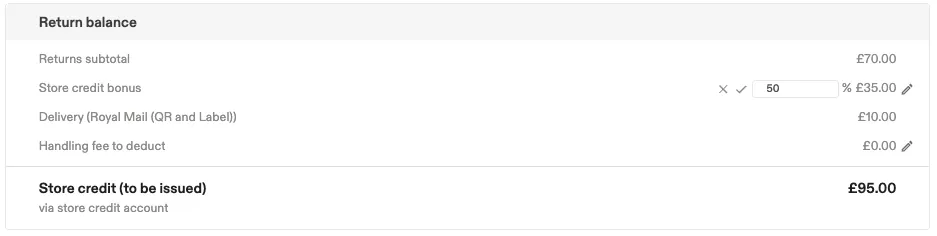
- Open the RMA in the dashboard.
- Under Return balance, click the checkmark next to the credit bonus to edit it, then enter the new amount.
- Click the checkmark again to confirm the new bonus.
A note recording the updated bonus amount (for example, "£15 bonus amount was added") is logged on the RMA each time the amount changes.
If the customer already has a Shop Now bonus applied to the return, adjusting the bonus here recalculates against the remaining Total Value only — it does not reapply the Shop Now split to the original return value. See Understanding the Shop Now bonus calculation for how that split works.