













This article explains how to sync return tracking numbers to your Shopify orders, so your team can cross-reference return shipments directly in Shopify or in connected tools like Gorgias.
Prerequisites
- Your store must use Shopify's Returns API or Exchange API.
Enabling return tracking sync
- Go to Returns → Settings → Returns in your dashboard.
- In the Shopify return tracking card, locate the Update return tracking in Shopify setting.
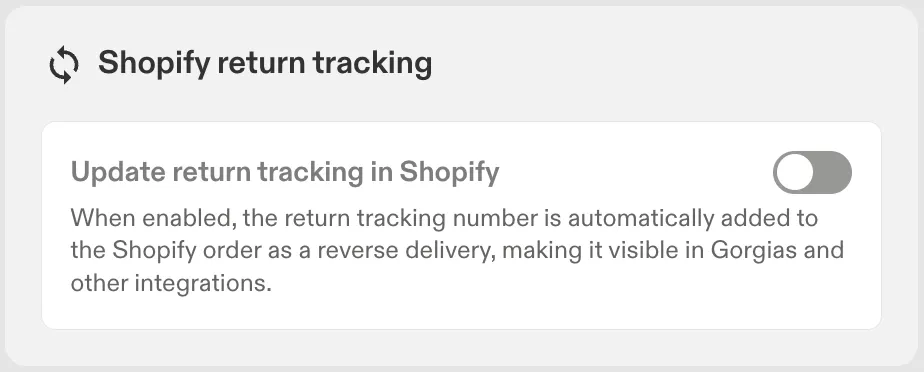
- Switch the toggle to On.
How it works
- Once enabled, when a return label is generated, Swap updates the tracking number on the corresponding reverse delivery in Shopify.
- The tracking number is written as a reverse delivery on the Shopify return, so it appears in the Return in progress tracking number field on the order, and in tools connected to Shopify, such as Gorgias.
- Swap also adds the return label and tracking URL to the return on the Shopify order, so your team can see the label in Shopify. For how this works with Shopify's Return created email, see Understanding Swap's integration with Shopify's Returns and Exchange API.
- This update happens after the RMA is created, so it doesn't delay the label page.
- If a label is regenerated, Swap updates the existing reverse delivery in Shopify with the new tracking number, rather than creating a duplicate.
- Every sync attempt — successful or failed — is recorded in the RMA log.
Limitations
- Split shipments are not currently supported for tracking sync.
- If the sync to Shopify fails for any reason, the return process itself is not affected — only the Shopify tracking update is skipped.