















This article explains what Swap Protect is, how it works, and how to get set up.
What is Swap Protect?
Swap Protect is a shipping protection program that covers your customers' orders against loss, damage, or theft in transit. It isn't insurance — it's a self-insure service: you stay the merchant of record for every outcome, while Swap's triage team investigates issues and gives you a recommendation to action, or the option to set up approval for routine cases.
How it works
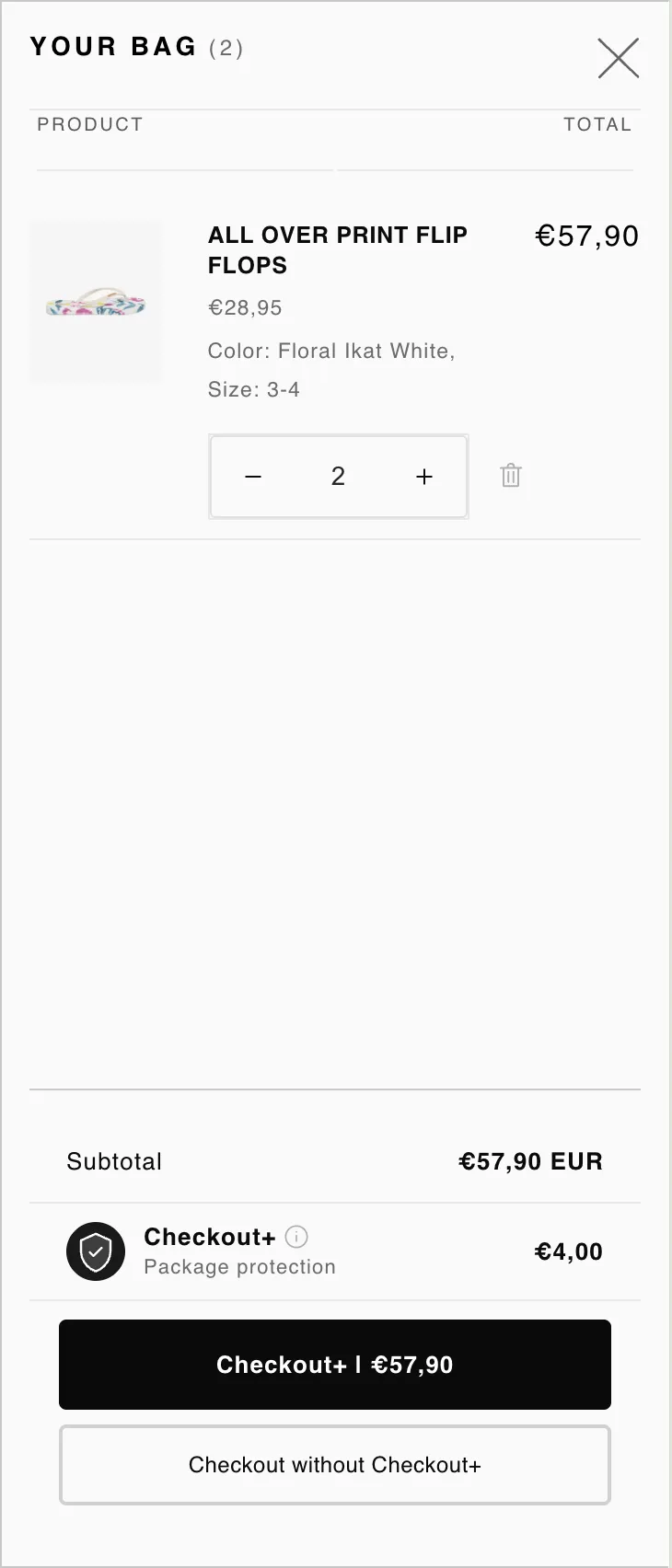
- Customer opts in to Swap Protect at the checkout stage, using the Checkout+ button option.
- The customer submits a claim through Swap's portal.
- Swap's team triages the claim against the scenario (lost, stolen, damaged in transit, or a disputed "delivered but not received" order) and gives you a recommendation in your dashboard: approve, reject (with reason), or manual review.
- You action the recommendation yourself, or set up approval for routine cases.
Claims eligibility
- Claims for packages marked delivered must be filed between 3 and 30 days after the delivery date.
- Claims for packages that appear lost (not marked delivered) must be filed between 5 and 30 days after the last tracking checkpoint.
- All claims must be filed within 30 days of the order date.
- Packages must be trackable and in transit. Swap monitors for repeated or suspicious claims.
Managing protected orders
Orders covered by Swap Protect are tracked and tagged in your Swap dashboard, with status flags as claims progress (for example, claim opened, approved, or denied). This gives you one consolidated view of protection and claims activity, rather than having to piece it together across Shopify and carrier systems.