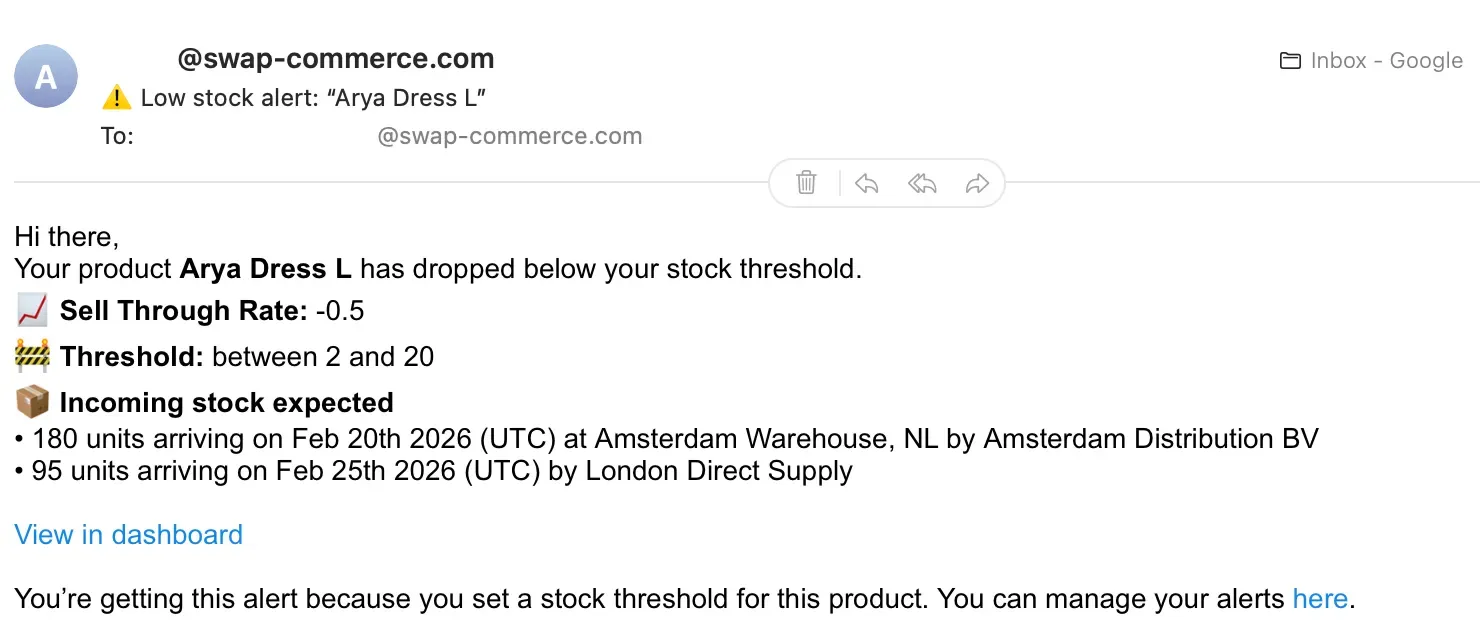











This article explains how incoming stock works in Swap Inventory — how to connect it, where it appears, and how it affects your alerts.
What is incoming stock?
Incoming stock refers to products or SKUs that are currently in transit or expected to arrive, based on purchase orders and warehouse data.
In Swap, incoming stock is used to:
- Show what inventory is arriving soon
- Improve Inventory Health risk calculations
- Improve Demand Planning insights
- Support better stock ageing calculations
Each incoming stock record can include:
- SKU / variant
- Quantity
- Estimated arrival date
- Destination warehouse (if available)
How to integrate your incoming stock
Incoming stock is synced into Swap via your WMS / 3PL connection. To enable it:
- Go to Store Settings
- Connect your warehouse system via Trackstar (if supported)
- Once connected, Swap will begin pulling incoming stock automatically
Important notes
- Incoming stock is currently read-only in Swap (you can't manually edit it yet)
- If your WMS doesn't provide destination warehouse data, Swap will still show inbound stock and label the destination as unknown
- If no incoming stock exists, Swap will show an empty state
Where incoming stock appears in Swap
Once connected, incoming stock is shown across the platform wherever you're reviewing performance or risk.
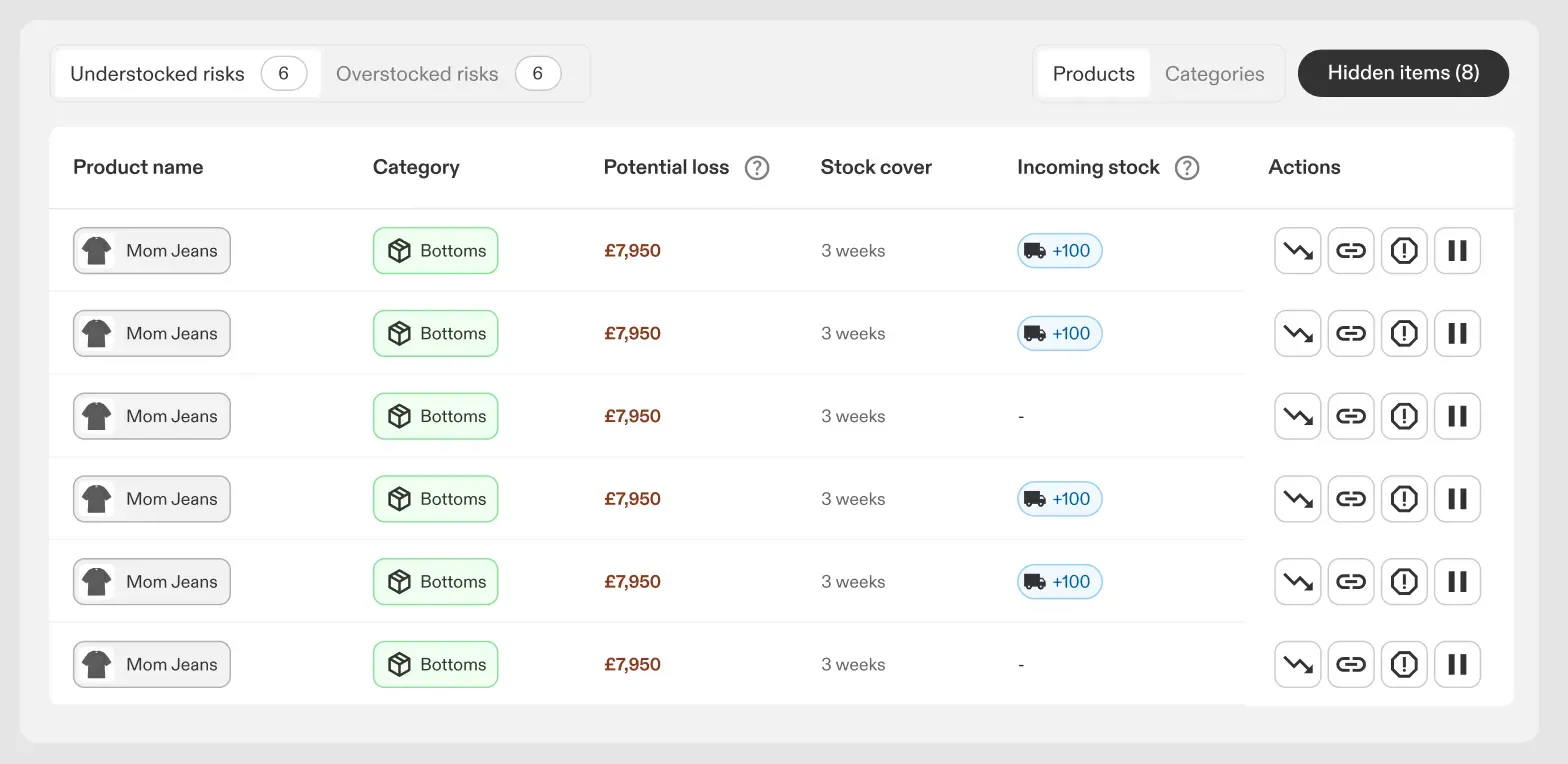
Inventory Health
Incoming stock appears in:
- The incoming stock summary widget
- Inventory table indicators
- The product side panel
- The SKU / variant view
Demand Planning
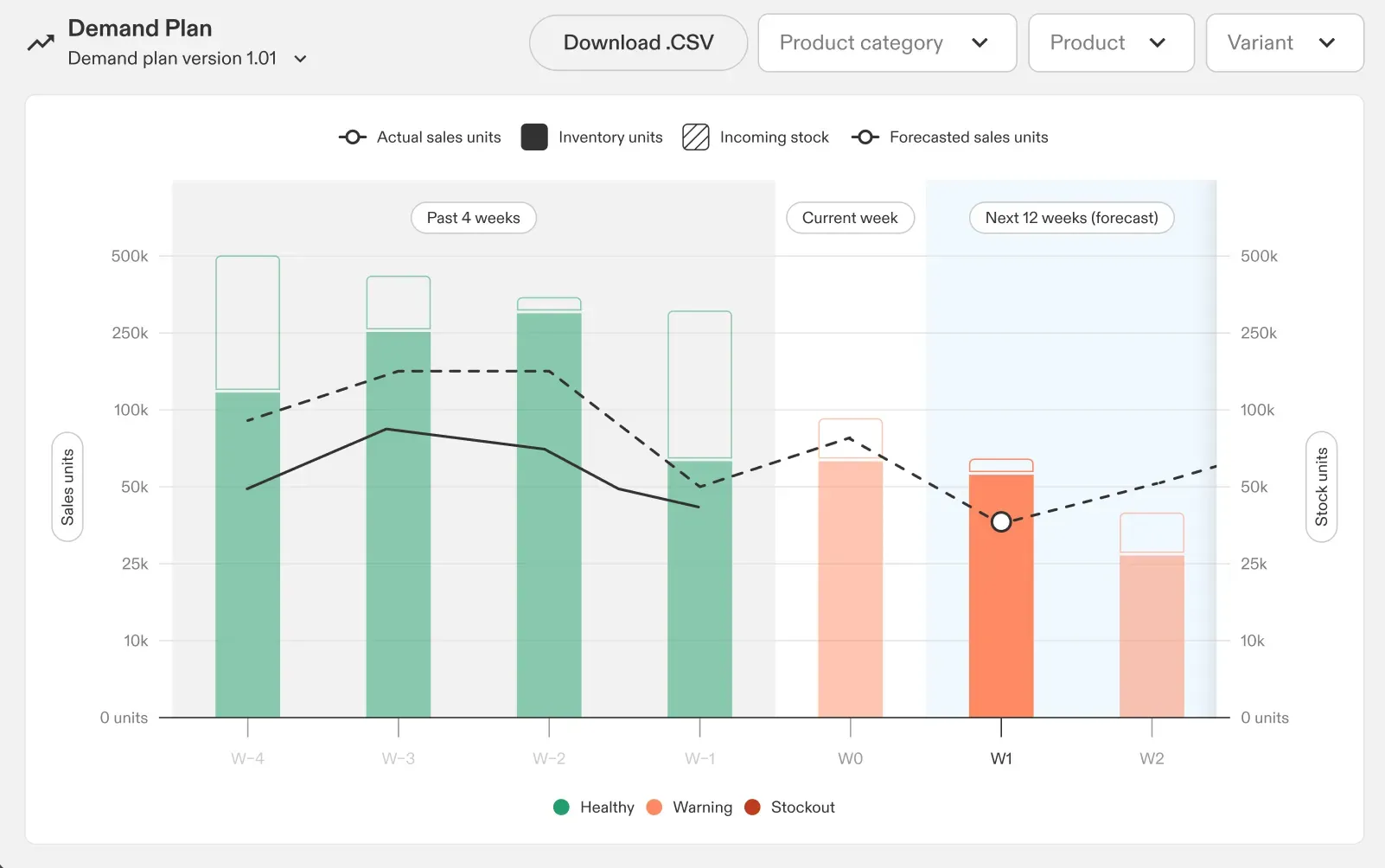
Incoming stock is shown in the Demand Planning chart and table, so you can see whether future risk is likely to be resolved by inbound deliveries.
Incoming stock is displayed as context only — it does not replace your forecast or editable planning inputs.
Alerts and incoming stock
Incoming stock affects how alerts are displayed, but it does not eliminate risk entirely.
For example:
- If a SKU is low on stock, Swap will still flag it as at risk
- But if incoming stock is expected soon, Swap will show that context directly in the alert
This helps you avoid panic ordering, duplicate orders, and overstocking caused by inbound stock not being visible.
Alert behaviour
Swap alerts clearly distinguish between:
- At risk with no incoming stock
- At risk, but incoming stock is arriving soon
This applies to both in-product alerts and email alerts.