















How it works
When a customer enters a shipping address, Swap Global automatically updates the shipping rate to include applicable taxes and duties. The Tax Breakdown Extension itemises each charge — from shipping to duties — wherever the shipping rate is displayed.
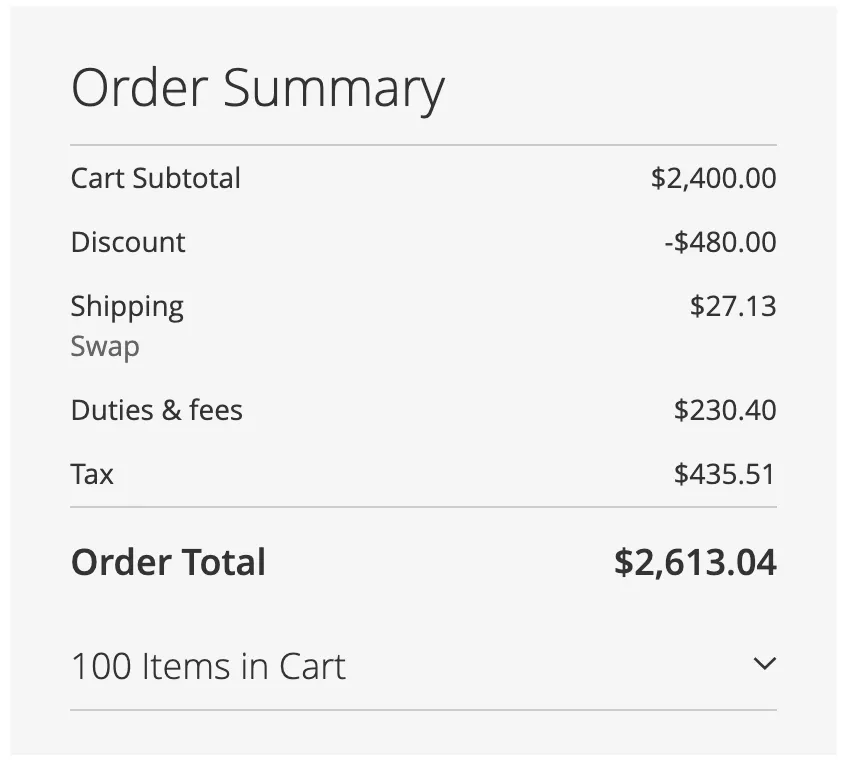
What is shown
The breakdown includes:
- Shipping rate
- VAT or sales tax
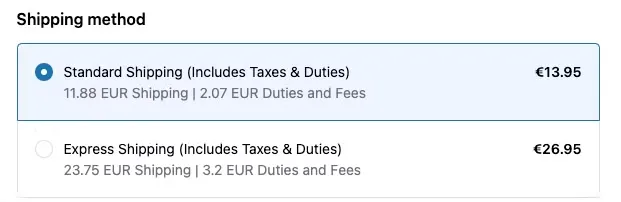
If any part of the breakdown (for example, VAT or duties) is €0, that line is automatically hidden. If all breakdown values are zero except the base shipping rate, the full breakdown is hidden to reduce clutter.
Where it appears
The breakdown is automatically shown on the following pages:
- Shopping cart page
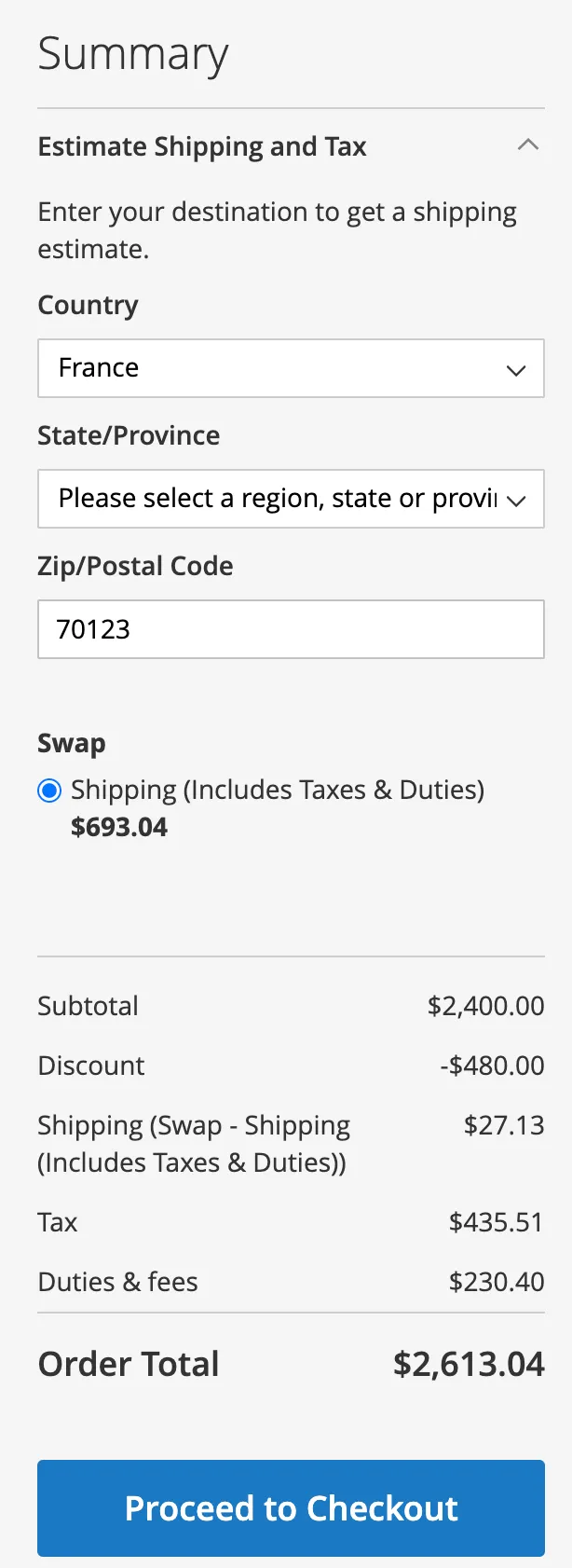
- Checkout shipping page
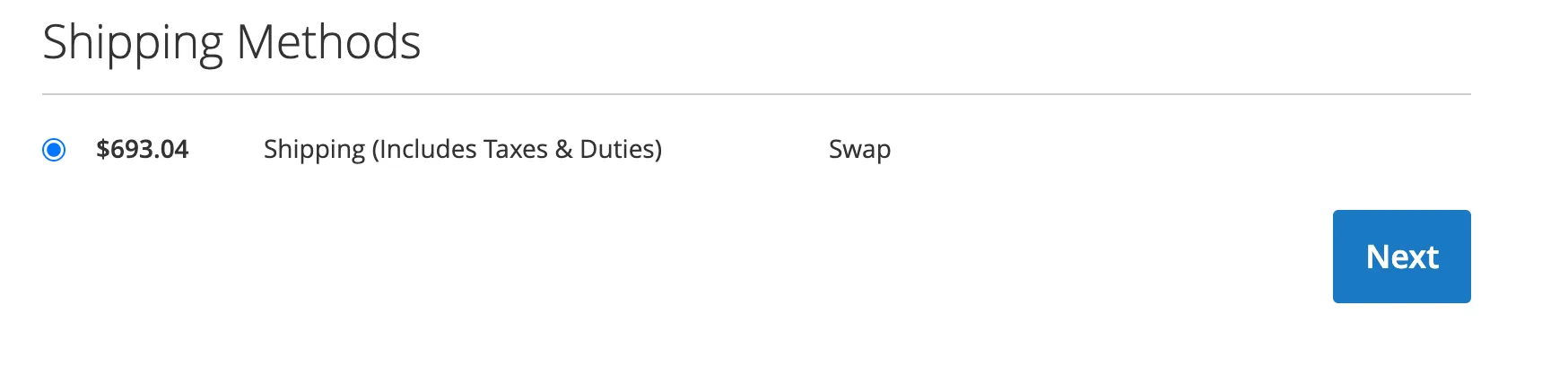
- Checkout payment page
- Magento Admin order view
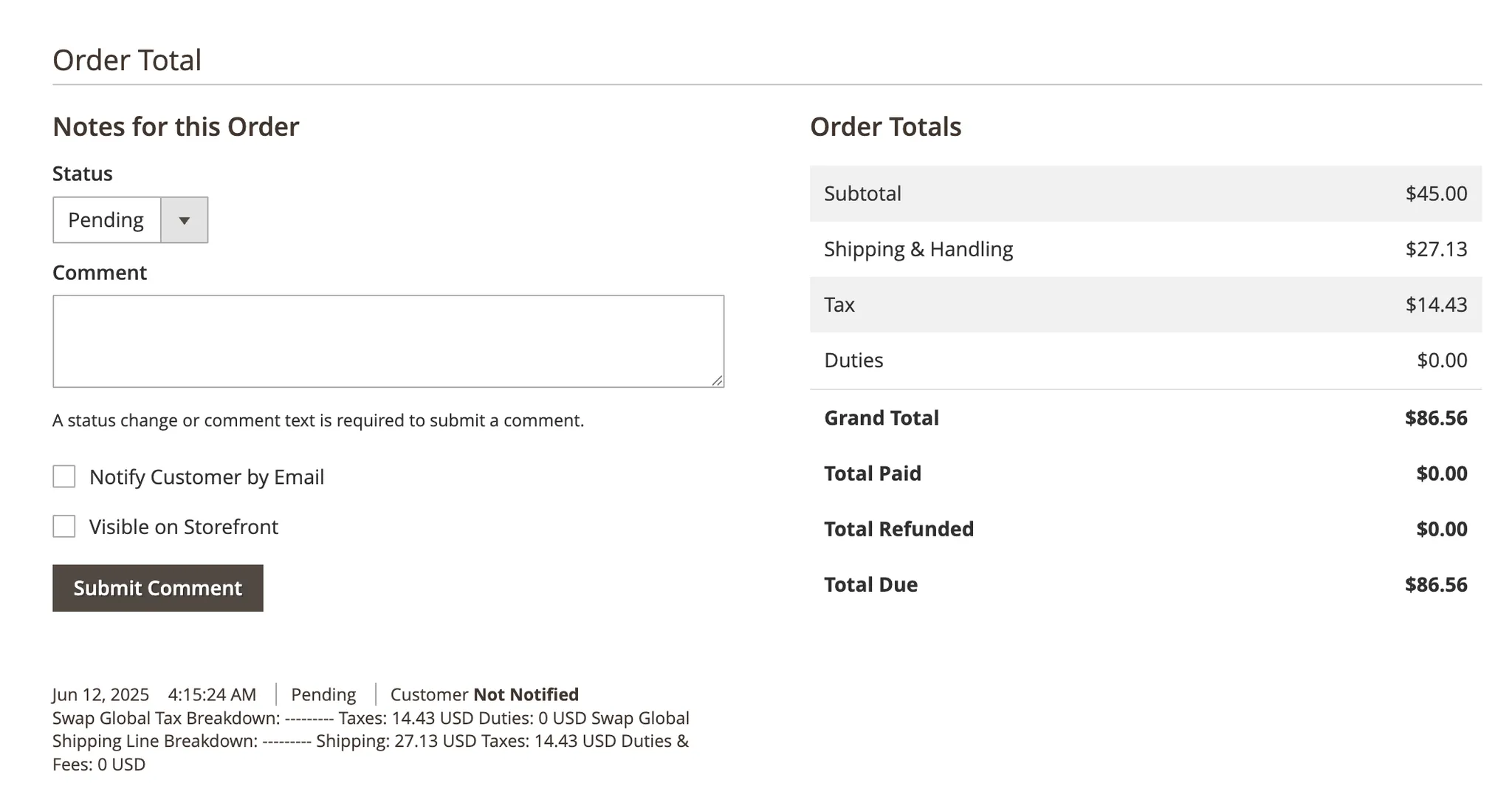
Order Notes
After an order is placed, a summary of all charges is added to the order notes in Magento:
- Shipping rate
- Taxes (VAT or sales tax)
- Duties and fees
The same breakdown is also visible in the Swap Dashboard.