















This article explains how to create, activate, deactivate, and expand Shopify Markets — the prerequisite for enabling cross-border sales through Swap Global.
ℹ️ Shopify automatically creates and activates your Domestic Market, and adds inactive European Union and International Markets by default.
How to create a market
- In Shopify Admin, go to Settings → Markets.
- Click Create market.
- Enter a name for your new market. This is internal only — your customers won't see it.
- Select the countries you want to include in this market.
- Click Save.
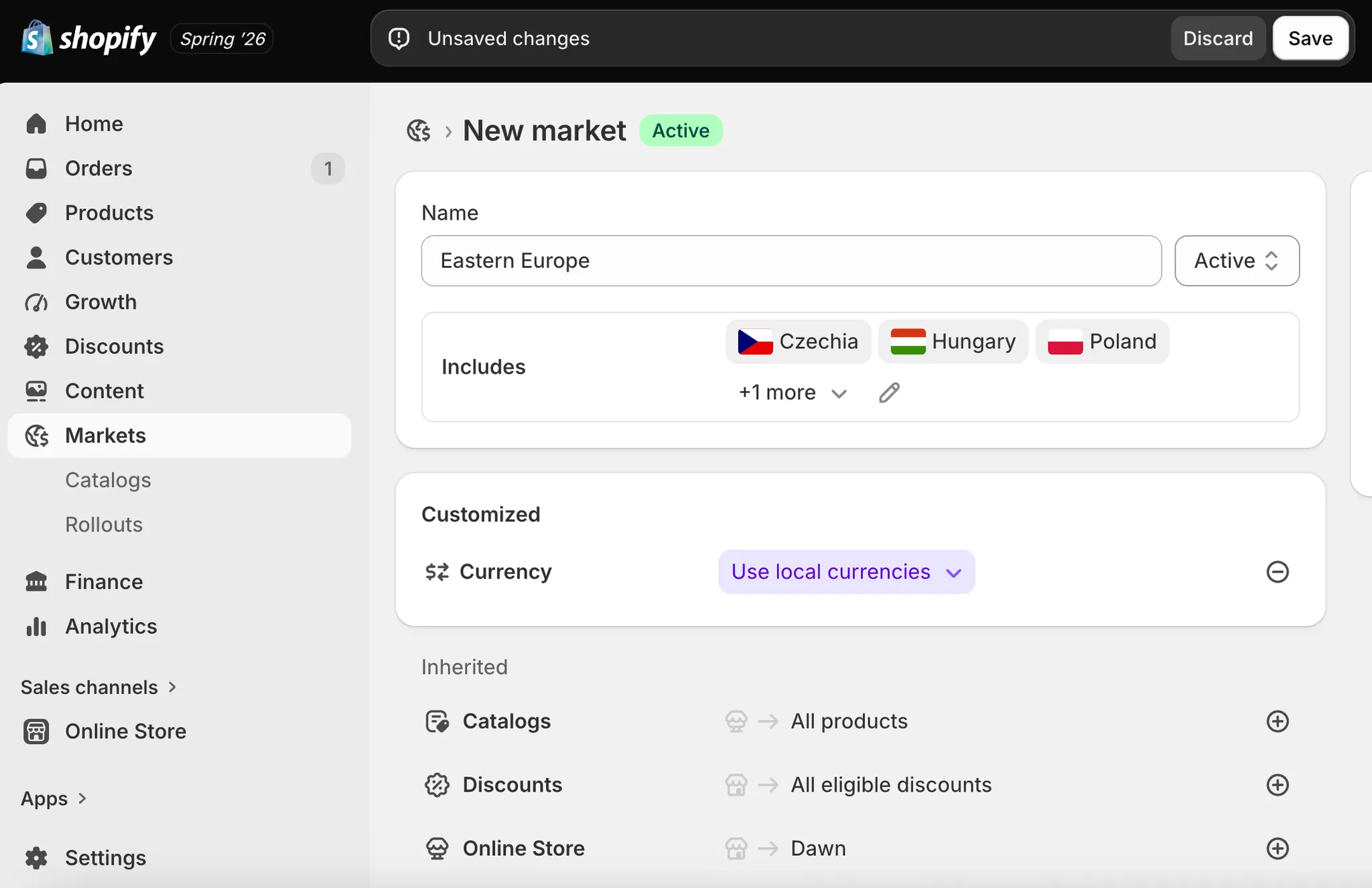
Your new market is activated automatically.
How to activate or deactivate a market
Activating a market
- In Shopify Admin, go to Settings → Markets.
- Click on the inactive market you want to activate.
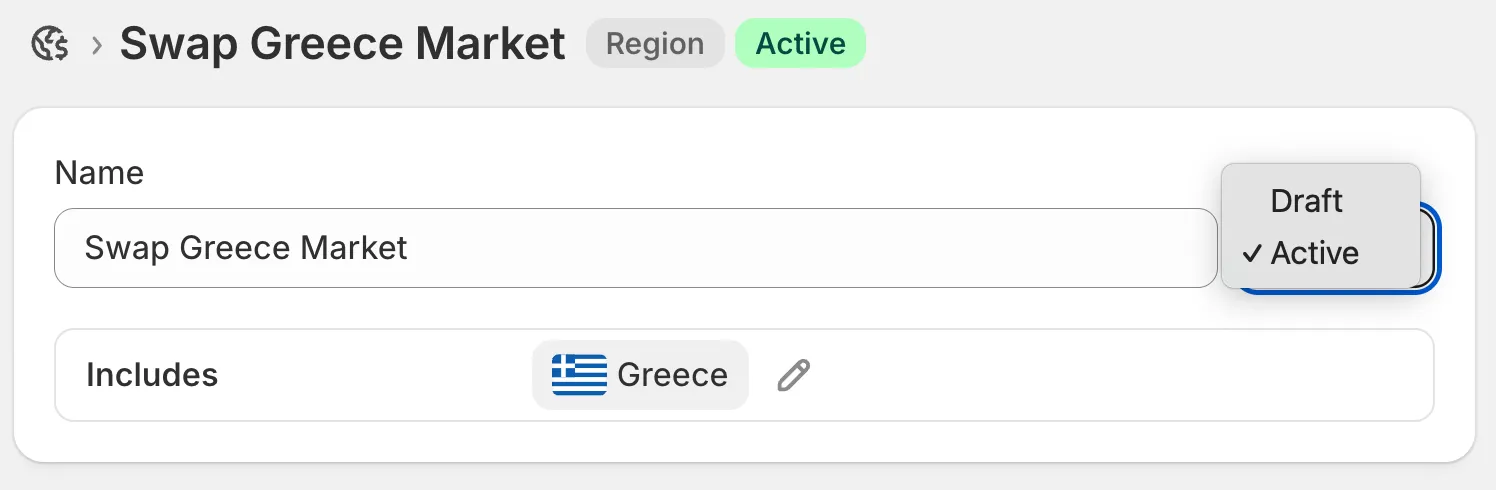
- Next to the name, click Draft.
- Select Active from the dropdown.
- Click Save.
Deactivating a market
- In Shopify Admin, go to Settings → Markets.
- Click on the active market you want to deactivate.
- In the top right, click Active.
- Select Draft from the dropdown.
- Click Save.
How to expand a market
Adding a country to an existing active market extends your sales reach without creating a separate market configuration.
- In Shopify Admin, go to Settings → Markets.
- Click on the market you want to expand.
- Next to Includes, click the pen icon.
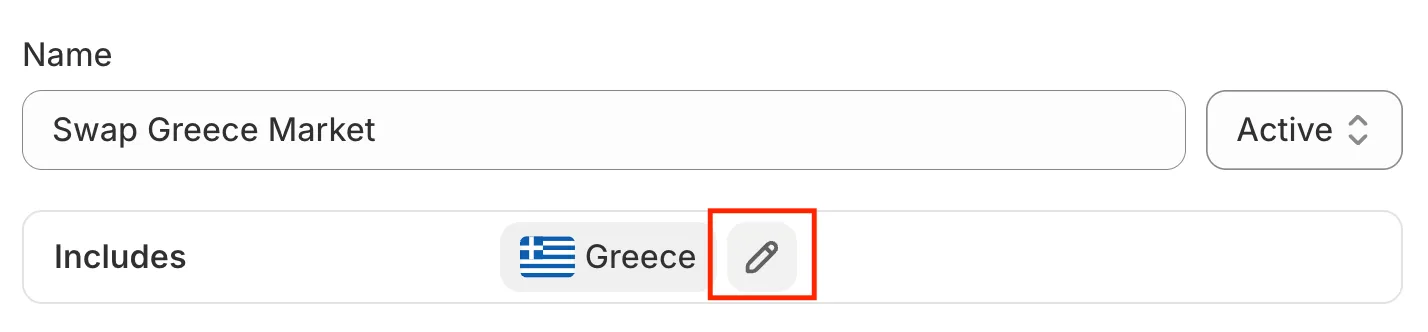
- Click Edit market.
- Select the countries you want to add.
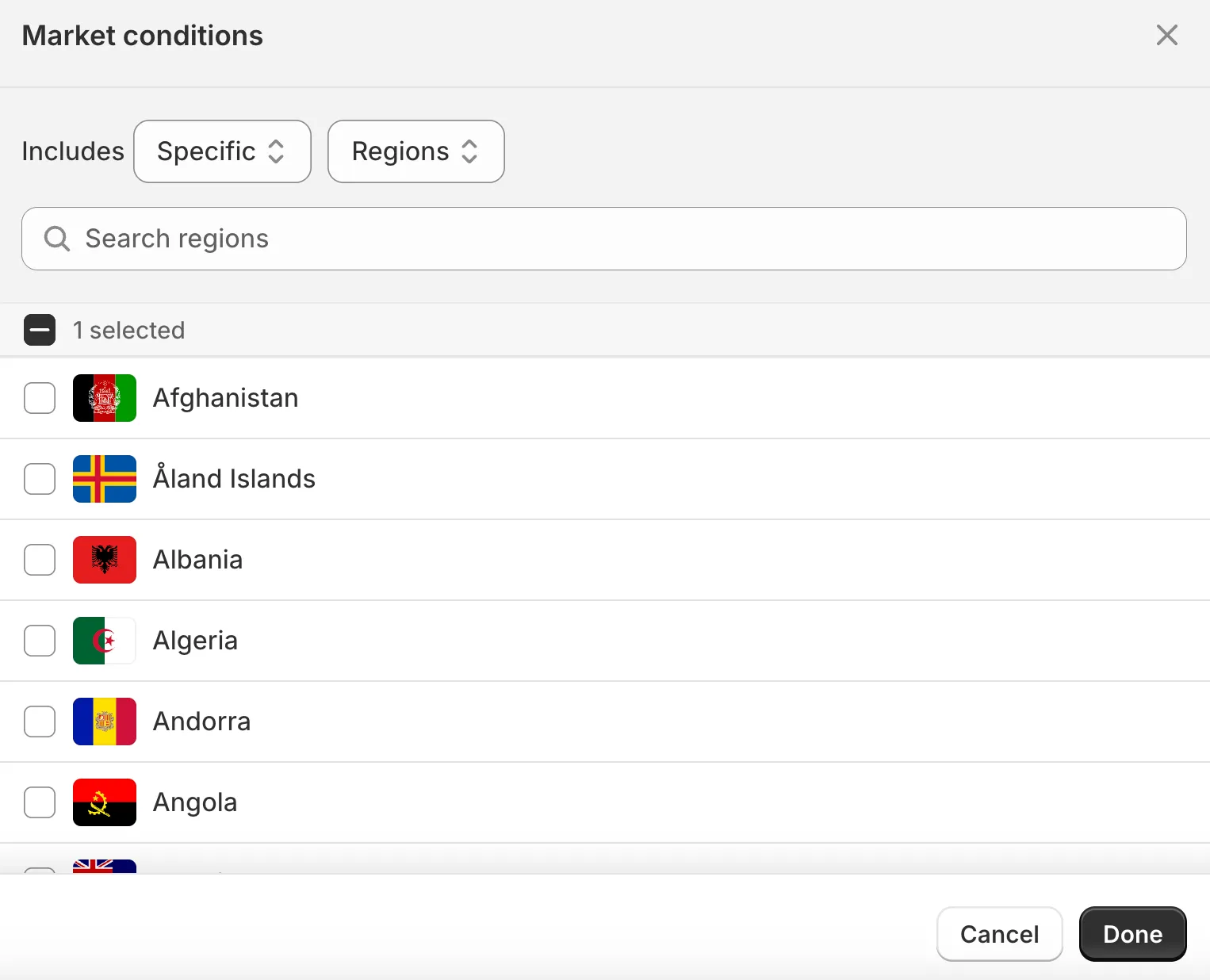
- Click Done in the bottom right of the pop-up.
- Click Save in the top right to confirm all changes.