















This article explains how to enable Swap as a carrier in Mintsoft and connect your account, so you can generate accurate shipping labels and commercial invoices for cross-border shipments.
Before you start
Make sure you have:
- A Mintsoft account with admin access
- A Swap API account — if you're not sure, contact your Swap account manager
Step 1: Request Swap as a carrier
- In Mintsoft, go to Connect > Courier Integrations > Partner Connections.
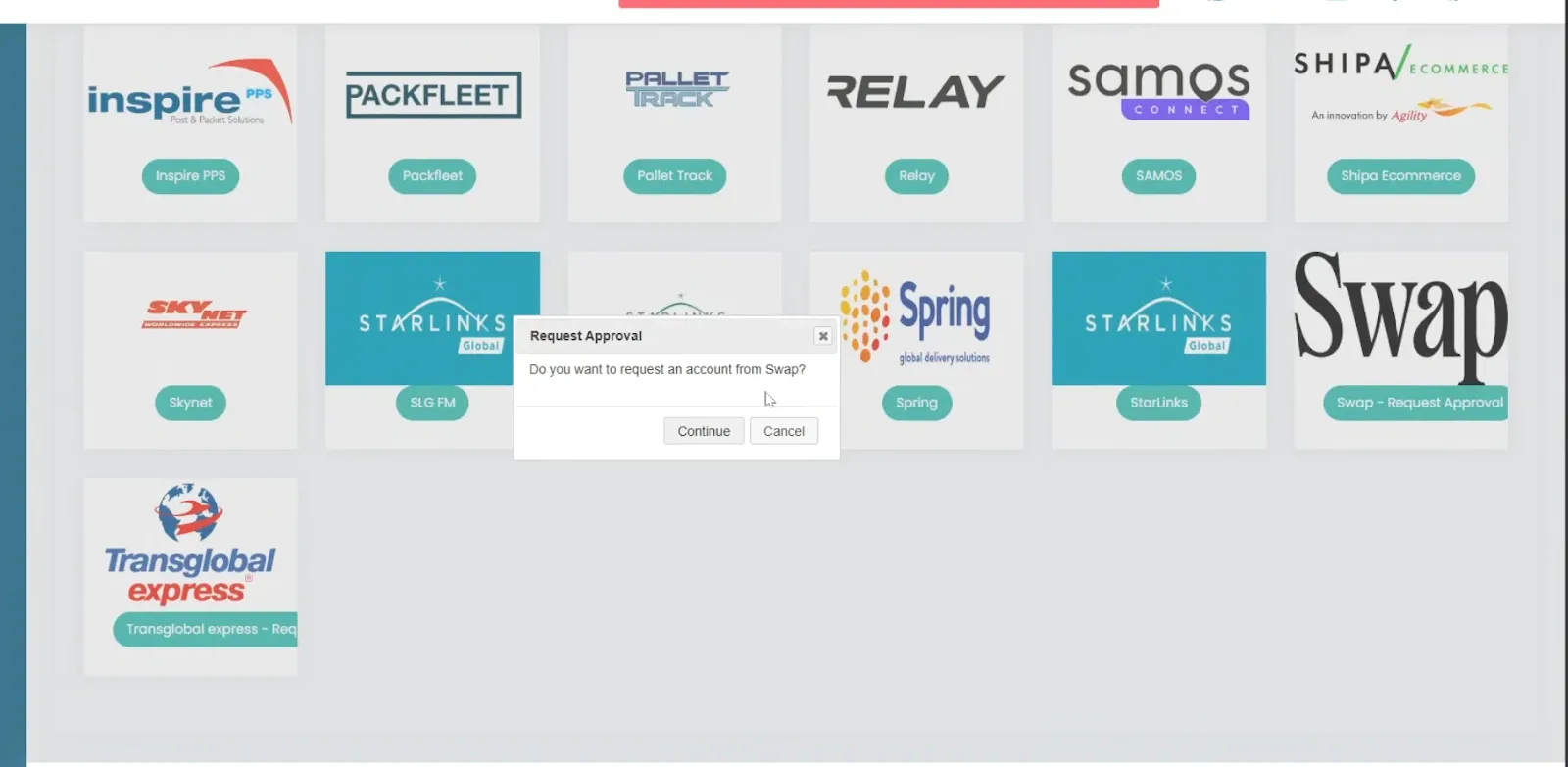
- Scroll to find the Swap tile (black logo on white background).
- Click Request Approval.
- When prompted, click Continue to confirm your request.
- Contact your Swap account manager to let them know you've submitted the request — approval typically happens within 24 hours. If it takes longer, contact Swap support.
Step 2: Connect your Swap account
Once your request has been approved:
- In Mintsoft, go to Connect > Courier Integrations > Custom / Partners > Swap.
- Click Add Account.
- Enter your credentials:
- Account no — the name of your API account (usually your brand name)
- Password — the token generated for your API account
- Click Save.
- Click Sync Services to retrieve your available Swap courier services.
- Map the services within Mintsoft as required.