















This article explains how to apply a Swap Global shipping rate when creating a manual order in Shopify.
Unlike orders placed through the standard checkout, manual orders in Shopify don't automatically apply a shipping rate. You need to add a Swap Global rate manually for taxes and duties to be charged and for the order to appear in Swap.
Steps
- In Shopify, create your manual order and add the customer's products and shipping address.
- Click Add shipping or delivery.
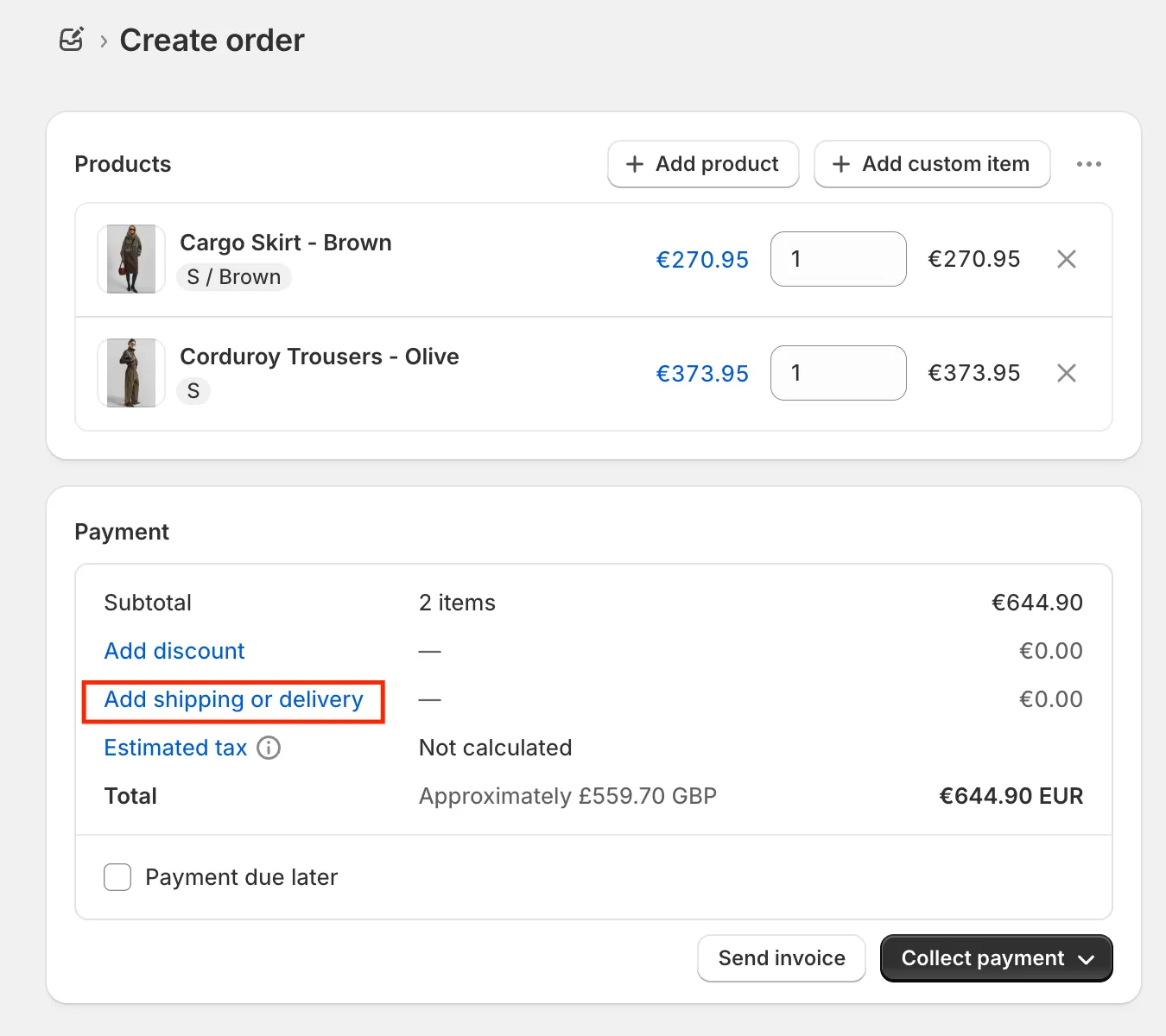
- A pop-up opens showing available shipping options, including Swap Global rates and a field for a custom rate.
- Select a Swap Global shipping rate.
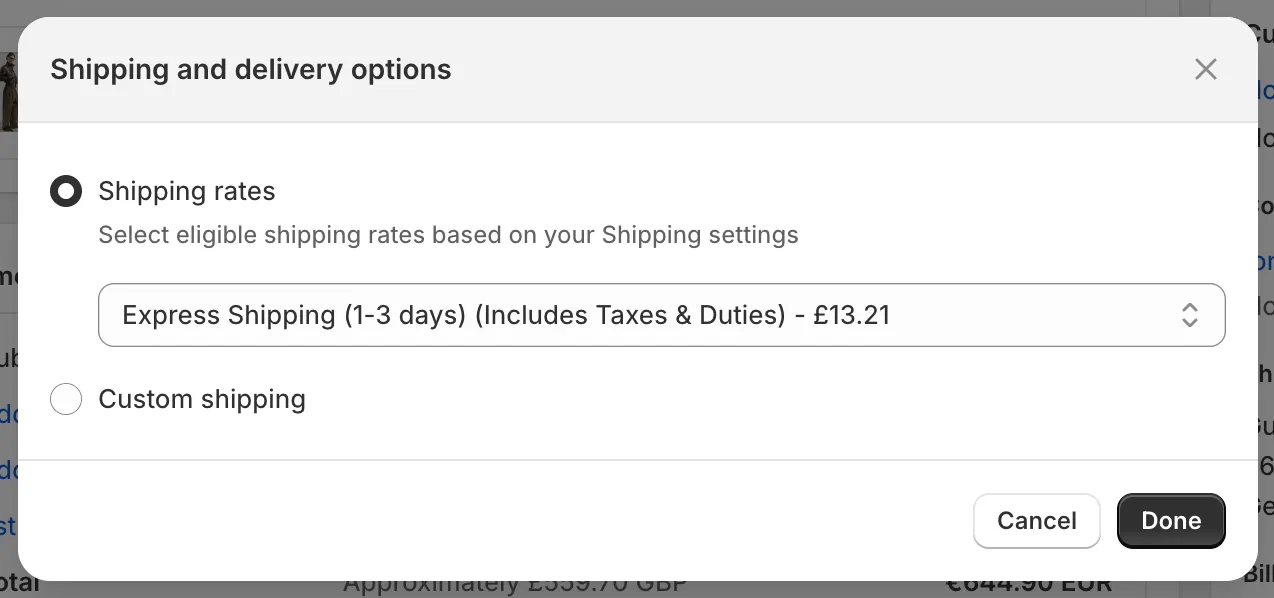
- Click Apply and complete the order.
Important
⚠️ If you select a custom rate instead of a Swap Global rate, the order will not be tracked in Swap and taxes and duties will not be collected.